
Most drone failures don't start in the air. They start on the ground, in the five minutes of inspection that someone decided to skip.

A loose propeller. A battery that swelled slightly since last week. A payload connector that never clicked into place. None of these look dangerous during a quick walk-around. At 300 feet, with wind loading an already compromised airframe, they stop being minor.

That's what a preflight checklist is for—not to slow you down, but to catch what memory reliably drops when you're behind schedule.

Below is a complete drone preflight checklist (also written as pre-flight checklist, or UAV preflight checklist for industrial operations) organized around ten inspection categories: airframe, propulsion, batteries and power, avionics and communication, navigation, payload, ground station, weather and environment, airspace and compliance, and mission planning and crew briefing.

It covers what FAA Part 107 actually requires (and what it doesn't), how to run a proper final verification before launch, and the extra checks commercial, fixed-wing, and VTOL operators can't afford to skip.

A free downloadable template—printable and editable—is at the end, along with a completed example from a real survey mission. You can jump straight to the free drone preflight checklist template here.

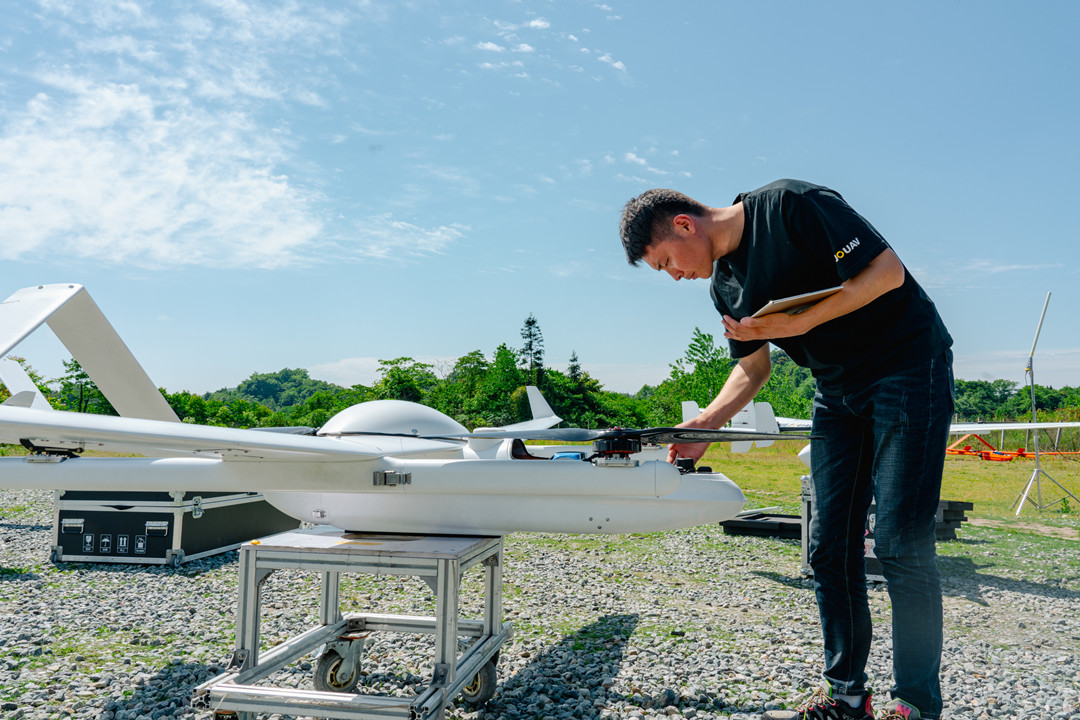
JOUAV technicians performing a drone preflight checklist on the CW-25E 🟡

What Is a Drone Preflight Checklist?

What Is a Drone Preflight Checklist?

A drone preflight checklist is a structured inspection completed before every flight to confirm that the aircraft, its systems, the payload, the operating environment, and the mission plan are all ready. It is not a maintenance schedule and not a substitute for reading the manual. It is the last gate between a drone that looks fine and a drone that is actually safe to launch.

What a Preflight Checklist Covers

A complete pre-flight checklist spans ten domains. They are inspection areas, not sequential steps—you'll move between them as you work around the aircraft:

  • Airframe—Structure, fasteners, landing gear, control surfaces

  • Propulsion—Propellers, motors, and for fixed-wing and VTOL platforms, the forward-flight power system

  • Batteries and power—charge, physical condition, connectors, reserves

  • Avionics and communication—flight controller, telemetry, video, and control links

  • Navigation—GNSS, compass, IMU, RTK/PPK status where applicable

  • Payload—camera or sensor mounting, settings, storage, data recording

  • Ground station—controller, display, antennas, support equipment

  • Weather and environment—wind, temperature, visibility, obstacles, interference

  • Airspace and compliance—classification, authorization, NOTAMs, Remote ID

  • Mission planning and crew briefing—route, boundaries, roles, emergency procedures

The order you check them in matters less than covering all ten. Most preflight failures trace back to a domain the pilot didn't think applied that day.

JOUAV CW-25E fixed-wing UAV preflight inspection

Why It Matters Beyond Safety

Safety is the obvious answer, and it's the one most guides stop at. For commercial operators, two other costs matter just as much.

Regulatory exposure. Under FAA Part 107.49, the remote pilot in command is legally obligated to assess the operating environment and confirm the aircraft is fit to fly before each operation. There is no prescribed form, which means the burden of proof falls entirely on the pilot. A completed, dated checklist is the simplest evidence that the obligation was met.

Mission reliability. A flight that ends early because of a weak battery or an unseated payload connector costs more than the flight itself — it costs battery cycles, crew time, and a return trip to a site that may not be accessible again. For survey and inspection work, an incomplete dataset can mean re-flying an entire corridor. The preflight is cheaper than the reflight, every time.

When to Run It

Before every flight, without exception. But "every flight" includes several cases pilots commonly treat as exempt:

  • After transporting the aircraft, even if it flew fine that morning

  • After changing propellers, batteries, or payloads

  • After any maintenance or repair, however minor

  • When weather or site conditions have shifted since the last check

  • On subsequent flights from the same site — airspace and weather must be re-verified, not assumed

The first check of the day is the most thorough. The ones after it are shorter, but they are not optional. Conditions change, and hardware that passed an hour ago can fail on the next launch.

What the FAA Actually Requires

What the FAA Actually Requires (and What It Doesn't)

Most preflight guides lead with the same regulation and stop there: Part 107.49 requires a preflight inspection. That's true, but it's also where the useful part ends. What 107.49 actually says—and what the FAA does and does not publish—matters far more for how you build and defend a checklist.

14 CFR 107.49 in Plain English

The regulation is short. It lists six things the remote pilot in command must do before each flight, and they are obligations about the operation as a whole, not a hardware walk-around.

(a) Assess the operating environment. This is not just weather. The text requires considering risks to persons and property both on the surface and in the air, and it names four specific inputs: local weather, local airspace and flight restrictions, the location of people and property on the ground, and other ground hazards. A pilot who checks wind but never looks at what's underneath the flight path has not satisfied this paragraph.

(b) Brief everyone involved. All persons directly participating must be informed of operating conditions, emergency and contingency procedures, their roles and responsibilities, and potential hazards. This is a crew obligation, not a solo checkbox — if you fly with a visual observer, the briefing is part of the preflight, not a courtesy.

(c) Confirm control links. Every control link between the ground station and the aircraft must be verified as working properly before launch.

(d) Confirm enough power. If the aircraft is powered, there must be sufficient energy for the intended operational time. The standard is the mission you planned, not “the battery says 80%.”

(e) Secure the payload. Anything attached or carried must be secure and must not adversely affect flight characteristics or controllability.

(f) Meet over-people requirements when applicable. If the operation will be conducted over human beings under Subpart D, the aircraft must meet the applicable eligibility requirements for that category.

Read those six items together, and a pattern appears: four of the six are about the environment, the crew, and the load—not the airframe. The regulation assumes you will inspect the aircraft; what it explicitly mandates is a broader preflight assessment. Guides that reduce 107.49 to “check your drone” miss most of the text.

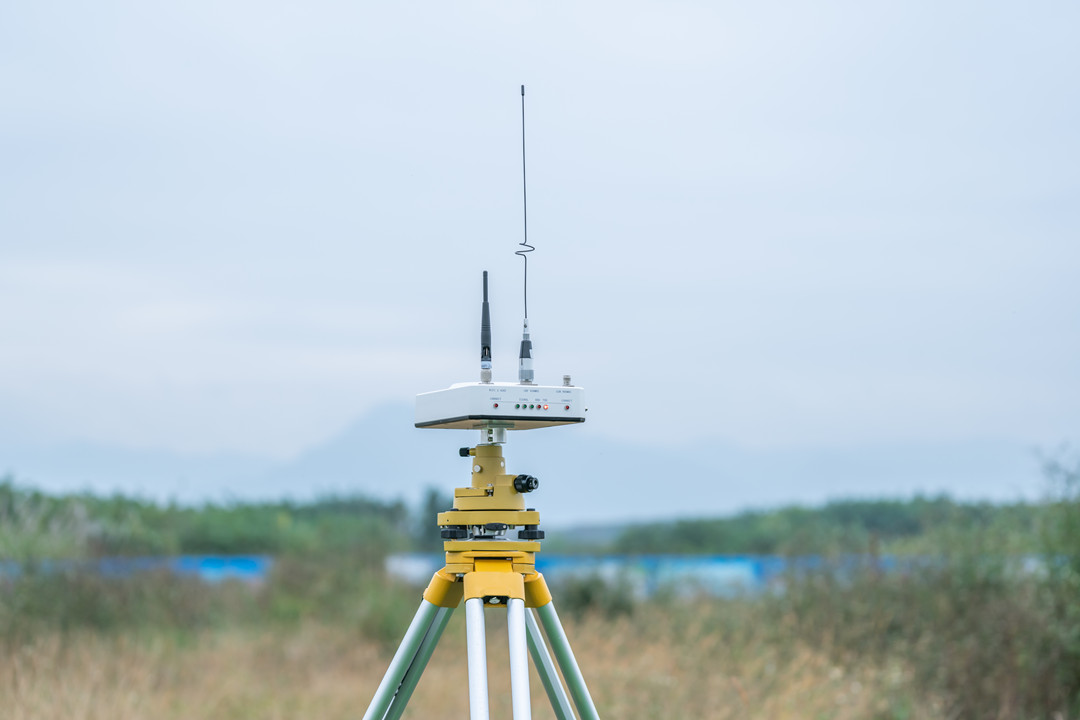
Ground control base station setup for drone power line inspection

Is There an Official FAA Checklist?

This is where a lot of online content gets sloppy. The honest answer has three parts.

The FAA does not require any specific checklist format. The FAA's own safety publication states plainly that while 107.49 requires a preflight inspection, it “doesn't require the use of a checklist” — the obligation is the inspection, not the paperwork. There is no mandated form, no official PDF you are legally required to fill out.

But the FAA does publish a sample. Advisory Circular 107-2A, Appendix E contains a Sample Preflight Assessment and Inspection Checklist — and the AC itself is explicit that remote pilots “may choose to use this checklist or develop their own for the operation of their specific small UAS”. The sample is guidance, not a compliance instrument. FAA Safety Briefing also notes that Chapter 7, Section 3 of AC 107-2 lists 23 items that should be included in a preflight inspection, which is the closest thing to an official reference list in existence.

What that means practically: if you search for an “official FAA drone preflight checklist,” what you'll find is either the Appendix E sample, a third-party reproduction of it, or someone's interpretation of the 23 items. Any of those can be a starting point. None of them is a form you must use. Your legal obligation is to perform the assessment 107.49 describes — how you document it is your call, which is precisely why a well-built checklist is worth having.

FAA Guidance vs. Manufacturer Checklist

The two are often treated as interchangeable. They aren't, and using one in place of the other leaves a gap.

 FAA guidance (107.49, AC 107-2A)Manufacturer checklist
What it governsThe regulatory and operational assessment: environment, crew briefing, control links, power, payload security, over-people eligibilityThe specific aircraft: inspection points, system checks, operating limits, maintenance procedures
Level of detailFramework-level. Tells you what must be verified, not how on your airframeModel-specific. Tells you how to verify it on this aircraft, with this firmware, these batteries
Legal statusBinding obligation to perform the assessmentNot regulation, but the basis for airworthiness and warranty compliance
Failure mode if skippedEnforcement exposure, and an incomplete risk pictureMissed mechanical or system defects the regulation assumes you'll catch

The FAA framework without a manufacturer checklist is too abstract to execute. A manufacturer checklist without the 107.49 assessment covers the machine and ignores the operation. A defensible preflight uses both: the regulation defines the scope, the manufacturer's procedures fill in the technical steps, and your checklist is the document that proves you did both.

The Complete Drone Preflight Checklist

The Complete Drone Preflight Checklist: 10 Inspection Categories

The checklist below is organized by inspection domain so it stays reusable across aircraft and missions. The actual sequence you run on site—and the final verification after power-on—is covered in the next section. Work through all ten domains; the order between them matters less than not skipping one.

1. Airframe & Structural Inspection

☐ Inspect fuselage for cracks, dents, deformation, or stress marks.

☐ Check arms, wings, and structural joints for looseness or damage.

☐ Verify all fasteners, screws, and locking mechanisms are secure.

☐ Inspect landing gear and mounting points for damage or misalignment.

☐ Confirm folding arms or removable components lock positively.

☐ On fixed-wing: check hinges and control surfaces move freely and without play.

☐ Confirm all required components are installed, and nothing was left off after transport.

Structural damage rarely announces itself. A hairline crack at a motor arm or a hinge with slight play can survive ground handling and fail under flight loads. Check after every transport and after any hard landing—those are when damage actually happens.

JOUAV VTOL fixed-wing UAV pilot training and preflight procedures

2. Propulsion System & Motors

☐ Inspect propellers for chips, cracks, deformation, and wear; replace any damaged blade.

☐ Verify propeller installation and CW/CCW alignment.

☐ Confirm propellers are fully seated and locked.

☐ Spin each motor by hand; check for grinding, resistance, or debris.

☐ Inspect motor mounts and attachment points.

☐ Check propulsion system wiring and connectors.

☐ On fixed-wing and VTOL: inspect forward-flight propulsion components and relevant control surfaces.

Platform differences matter here. Multirotors need a close look at blades and motor arms. Fixed-wing aircraft add the propeller or engine, wing integrity, and control surfaces. VTOL platforms carry two propulsion systems—vertical lift and forward flight—and both need inspection, along with the transition mechanisms that link them.

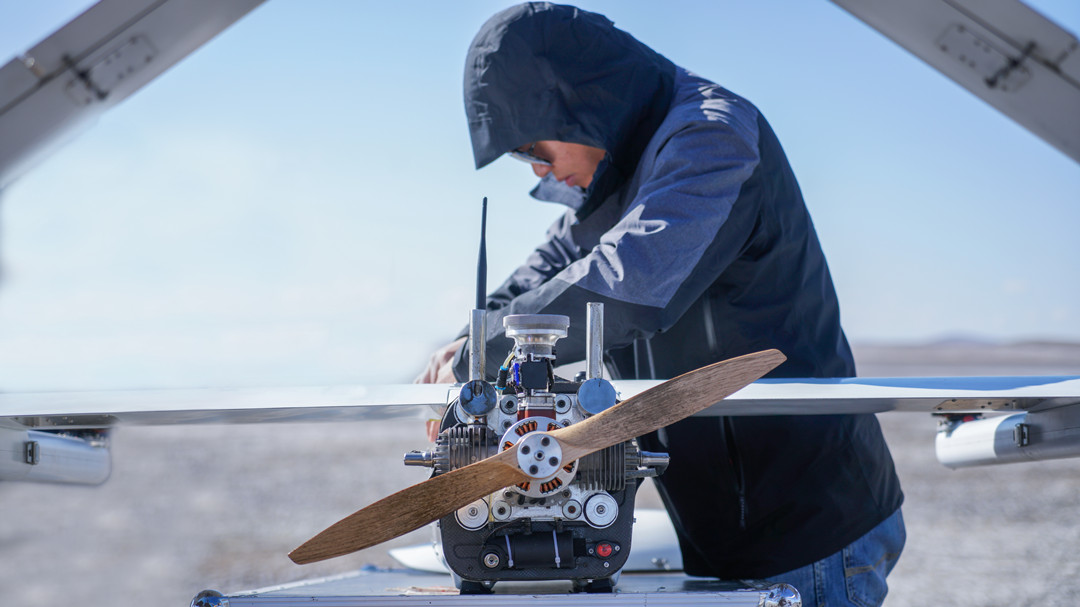
Inspecting drone propellers and motors during preflight checklist

3. Battery & Power System

☐ Verify flight battery charge level.

☐ Inspect for swelling, cracks, dents, leakage, or discoloration.

☐ Check battery connectors and contacts for wear or corrosion.

☐ Confirm the battery is correctly installed and locked.

☐ Check battery health and cycle count where available.

☐ Verify controller and ground station power levels.

☐ Confirm sufficient spare batteries or power supplies for the planned mission.

Specific thresholds—minimum charge, battery life and cycle limits, preheating temperatures—vary by battery chemistry and manufacturer. Use the numbers in your aircraft's manual, not a generic figure from a blog post. What doesn't vary: a swollen battery is retired immediately, and cold batteries need warming before launch, not after.

For example, on the JOUAV CW-15, the smart battery reports cell voltage, temperature, and cycle count directly in the ground station software—pull that data during preflight and record it on the checklist instead of eyeballing a percentage.

JOUAV CW-15 smart battery health and cycle count check during preflight

4. Flight Controller, Avionics & Communication

☐ Power on aircraft and ground station; confirm all systems initialize normally.

☐ Check flight controller status and any system warnings.

☐ Verify communication between aircraft and ground station.

☐ Confirm telemetry and video feed are transmitting.

☐ Inspect antennas and communication connections.

☐ Verify control stick and command response on all axes.

☐ Confirm firmware and software versions are compatible.

☐ Check failsafe settings and return-to-home behavior.

Link failures are among the least forgiving in-flight events, and most are detectable on the ground. A weak telemetry signal at the launch point will not improve at 300 feet. Verify the link before you commit the aircraft to the air.

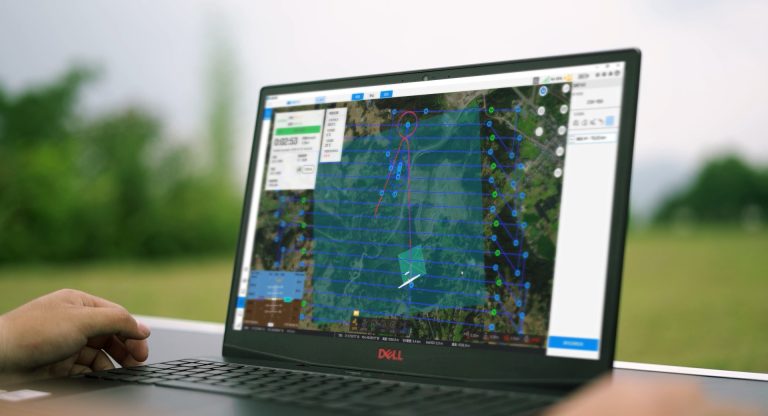
JOUAV GCS-202 ground control station link verification before launch

5. Navigation & Positioning

☐ Verify GNSS/GPS signal and satellite count.

☐ Confirm compass and IMU status; recalibrate after a site change if required.

☐ Check RTK/PPK positioning status where applicable.

☐ Verify the home point is correctly recorded.

☐ Review any navigation warnings.

☐ Confirm positioning accuracy meets mission requirements.

For surveying, LiDAR, and high-precision inspection, add RTK base station or network connection, correction data availability, coordinate reference system settings, and PPK logging configuration. A mapping mission flown on degraded positioning produces data that looks fine until processing—and by then the site may be gone.

6. Camera, Sensors & Payload

☐ Verify payload installation and locking mechanisms.

☐ Inspect cables and electrical connections.

☐ Clean camera lenses and sensor surfaces.

☐ Verify gimbal movement and stabilization.

☐ Check camera and sensor settings for the mission.

☐ Confirm storage capacity is sufficient.

☐ Verify payload communication and data recording.

☐ Confirm payload weight and center of gravity are within manufacturer limits.

Payload checks are not interchangeable. What matters depends on what you're carrying:

Payload typeKey preflight checks
RGB cameraLens condition, focus, exposure, storage
MultispectralSensor calibration, band configuration, storage
LiDARMounting, connections, GNSS/IMU configuration, data recording
ThermalSensor status, temperature settings, image storage
SpecializedMounting security, power, compatibility, communication

7. Ground Control Station & Support Equipment

☐ Inspect the ground control station for damage.

☐ Verify controller battery levels.

☐ Check display and software operation.

☐ Verify antennas and communication accessories.

☐ Confirm mobile devices or tablets are charged.

☐ Check charging equipment and spare batteries.

☐ Verify necessary cables, tools, and spare parts are on hand.

☐ Confirm ground station placement gives a safe operating position with a clear line of sight.

The ground station is part of the aircraft system, not an accessory. A dead controller battery or a tablet at 8% ends a mission as surely as a bad motor. For long-duration or multi-sortie operations, confirm external power and backup options before leaving the vehicle.

JOUAV GCS-303 ground control station preflight inspection

8. Weather & Environmental Conditions

☐ Check wind speed and gusts against the aircraft's operating limits.

☐ Check temperature and humidity.

☐ Assess visibility for the mission and for visual observation.

☐ Check precipitation and potential icing conditions.

☐ Evaluate cloud cover and lighting conditions.

☐ Identify nearby obstacles—buildings, trees, power lines, towers.

☐ Assess terrain and ground conditions at takeoff and landing areas.

☐ Note electromagnetic interference sources near the site.

☐ Review expected weather changes during the mission window.

Wind is the most common mission-stopper, and gusts matter more than averages—every airframe has its own wind resistance limits. Low temperatures reduce battery performance. Rain and moisture affect both airframe and payload. A weather check done at the office is a planning input; a weather check done on site is a go/no-go input. Do both.

9. Airspace & Regulatory Compliance

☐ Check local airspace classification.

☐ Verify flight authorization where required.

☐ Review NOTAMs and temporary flight restrictions.

☐ Check applicable altitude and operating limitations.

☐ Verify aircraft registration and identification requirements.

☐ Confirm pilot qualifications and operational permissions are current.

☐ Check applicable Remote ID requirements (United States).

☐ Confirm any site-specific or local operating restrictions.

Airspace must be re-verified on-site immediately before flight. Authorizations are location- and altitude-specific, and TFRs can appear with little notice. Remote ID is a US requirement under FAA rules—confirm broadcast is active if it applies to your operation, and don't assume the same regulation follows you across borders. Local rules vary by country and, in some cases, by municipality.

10. Mission Planning, Crew Briefing & Emergency Preparedness

☐ Confirm mission objectives and operating area.

☐ Review planned flight route and altitude.

☐ Set flight boundaries and geofence limits where supported.

☐ Identify obstacles along the flight path.

☐ Define takeoff and landing locations.

☐ Identify emergency and alternate landing areas.

☐ Confirm visual observer positions where applicable.

☐ Assign crew roles and responsibilities.

☐ Review lost-link and emergency procedures.

☐ Confirm communication methods between crew members.

☐ Verify required site permissions and client approvals.

This is the domain that separates a pilot who checks equipment from an operator who runs a mission. The aircraft can be perfect, but the operation is still unsafe if nobody has briefed what happens when the link drops or where the aircraft goes if the primary landing zone is compromised.

Go/No-Go: The Final Gate

Before launch, confirm none of the following is present. Any single item is grounds to hold:

  • Structural damage of any kind.

  • Battery abnormality — swelling, damage, or insufficient reserve.

  • Unstable control or communication links.

  • Critical navigation or system warnings.

  • Weather exceeding the aircraft's operating limits.

  • Missing or unverified flight authorization.

  • Payload not securely mounted.

  • Any unresolved safety hazard on the ground or in the airspace.

A no-go is not a failed mission. It's the checklist doing exactly what it's supposed to do—catching on the ground what would otherwise be caught at altitude.

Final Pre-Launch Verification

Final Pre-Launch Verification: From Power-On to Go/No-Go

The ten categories above are static checks — things you look at, touch, and confirm while the aircraft is off or idling. This section is different. Everything below happens after power-on, and it is where a drone that passed inspection either proves itself ready or reveals it isn't.

Power-On System Checks

☐ Confirm all aircraft systems initialize normally, with no unexplained delays.

☐ Review every system warning or error message—don't dismiss one without understanding it.

☐ Verify GNSS/GPS lock and satellite count meet the aircraft's requirements.

☐ Confirm communication links are stable at the launch point.

☐ Check battery voltage and remaining capacity under load, not just at rest.

☐ Verify the payload is recognized, and the sensor status is nominal.

☐ Confirm flight mode and failsafe settings match the mission.

☐ Ensure the home point is correctly recorded.

A warning at this stage is cheap to fix. The same warning at 200 feet is not. If the aircraft is telling you something before launch, believe it.

Control & Propulsion Response

☐ Input small corrections on all axes and confirm proportional, smooth response

☐ Verify propulsion systems spool up normally with no hesitation

☐ Listen for unusual vibration, grinding, or irregular sound

☐ On fixed-wing and VTOL: confirm control surfaces and actuators respond correctly through their full range

☐ Confirm the aircraft is ready for takeoff per the manufacturer's procedures—not per a generic checklist.

This is the last chance to catch a control reversal, a stuck actuator, or a motor that sounds different under power than it did by hand. A control check on the ground takes seconds; diagnosing the same fault in the air is not an option.

CW-30E fixed wing propellers

Controlled Initial Flight Check

Take off in a controlled area and hold the aircraft in a stable condition before committing to the mission. What you're checking: stability, control responsiveness, telemetry and link quality, and any drift or abnormal system behavior. If something is wrong, land and diagnose — do not climb through it.

How long and how high depends on the aircraft. For a multirotor, a short hover at low altitude is usually enough to verify position hold, response, and link quality. Fixed-wing and VTOL platforms follow a different logic entirely: takeoff, climb, and the transition to forward flight are procedure-driven steps defined by the manufacturer, and the verification points are built into that sequence. A VTOL does not get a multirotor hover test bolted onto it — it gets the manufacturer's takeoff and transition procedure, executed correctly, with the pilot watching for the same class of anomalies: drift, vibration, telemetry dropouts, abnormal transition behavior.

If the manufacturer's manual specifies hover height, duration, or transition parameters, use those. If it doesn't, use the minimum stable condition needed to verify the aircraft is behaving as expected, and no more.

Post-Flight Closeout

Land, power down per the manufacturer's procedure, and inspect the airframe, propellers, motors, and landing gear for anything new. Check batteries for heat or swelling and record usage and cycle count. Back up collected data, note any abnormal system behavior, and schedule maintenance if something needs attention. Update the checklist itself if the flight exposed a gap.

The point is simple: preflight and post-flight are one loop. A problem found after landing is a problem the next preflight must close — not one that gets remembered at the next launch site.

Commercial & Industrial Add-Ons

Commercial & Industrial Add-Ons: What Generic Checklists Miss

A generic checklist answers one question: can this aircraft fly safely? A commercial operation has to answer a harder one — are the equipment, payload, crew, environment, and mission configuration actually ready to deliver what the project requires? That gap is where most professional flights go wrong, and it's the part a consumer-grade checklist never covers.

Five Extra Checks for Commercial Operations

Mission and client requirements

  • Confirm project scope, deliverables, and acceptance criteria in writing.

  • Verify the coverage area, resolution, and accuracy targets match the flight plan.

  • Confirm the schedule and any site access windows.

Aircraft and payload configuration

  • Verify the aircraft configuration matches the mission type.

  • Confirm payload compatibility and calibration status.

  • Check that storage capacity covers the full mission, not just the first sortie.

Operational team readiness

  • Confirm pilot qualifications and currency.

  • Assign crew roles and confirm everyone knows them.

  • Conduct a safety briefing that covers emergencies, not just the flight plan.

Site safety and risk management

  • Identify ground hazards and establish safety boundaries.

  • Assess people, vehicles, and infrastructure near the operating area.

  • Confirm emergency response arrangements and access routes.

Data collection readiness

  • Verify mission parameters and sensor settings before launch.

  • Confirm storage and data recording are active and sufficient.

  • Ensure the flight plan will produce data that meets the project's requirements—not just data.

Mission-Specific Checklists

The ten core categories apply to every flight. What changes is what you emphasize, and these four mission types each carry checks that a generic list won't surface.

Surveying & Mapping

☐ Camera calibration current and image capture settings verified.

☐ Flight altitude and GSD confirmed against project accuracy requirements.

☐ Front and side overlap set correctly for the processing method.

☐ Flight boundaries and waypoint settings match the survey area.

☐ GNSS/RTK correction data available and confirmed.

☐ Storage capacity sufficient for the full area.

☐ Lighting conditions suitable—sun angle, shadows, no overcast surprises.

☐ The flight plan covers the entire survey area without gaps.

For the full capture-to-deliverable workflow, see our guide to aerial drone surveys.
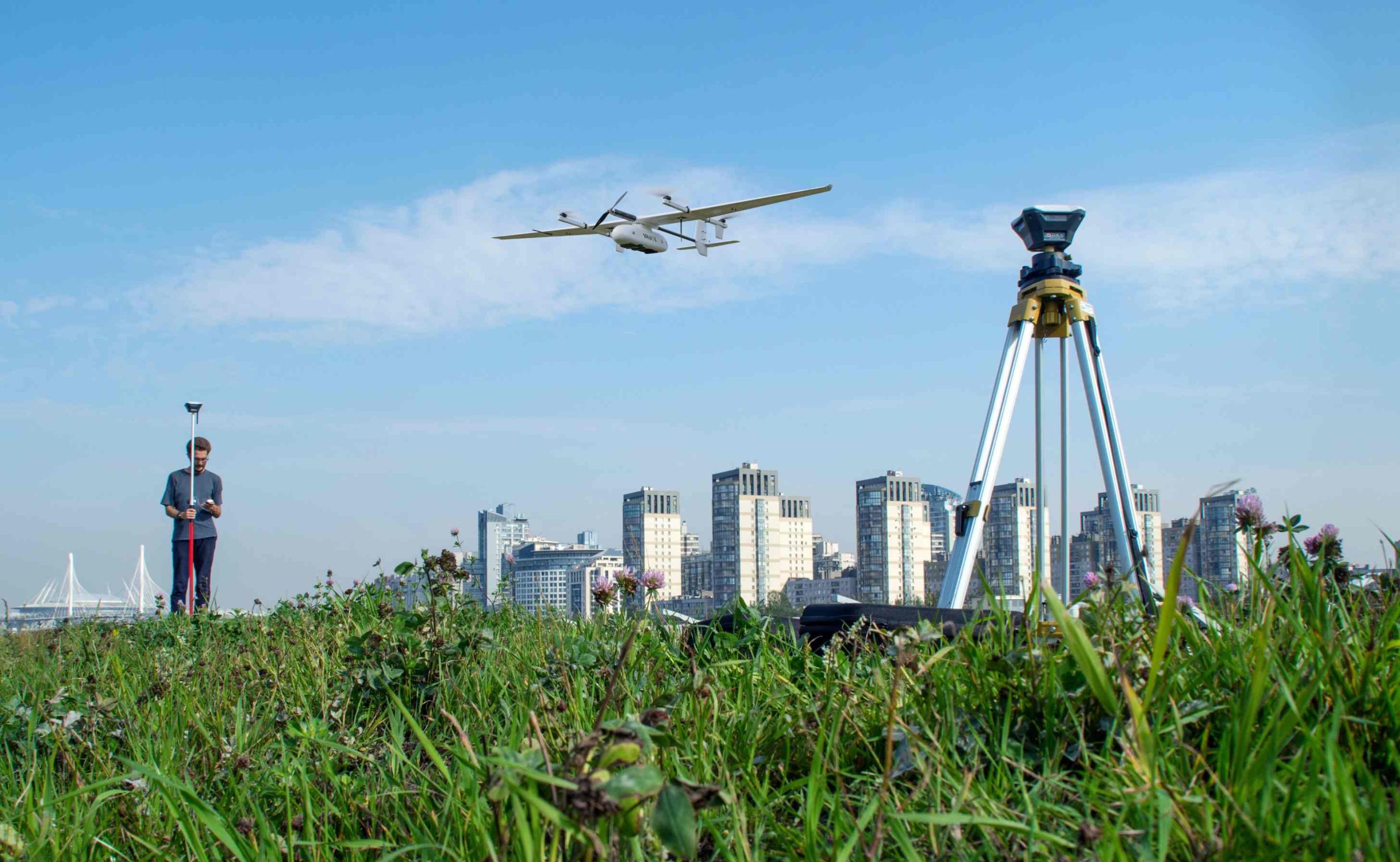
JOUAV CW-15 Surveying drone performing aerial mapping mission

LiDAR & Power Line Inspection

☐ LiDAR sensor mounted and secured per manufacturer specifications.

☐ GNSS/IMU configuration verified and recording active.

☐ Data recording and time synchronization confirmed.

☐ Inspection corridor and flight route defined.

☐ Transmission towers, cables, and obstacles identified along the corridor.

☐ Terrain clearance and altitude profile checked.

☐ Flight endurance and power reserve sufficient for the corridor length.

☐ Emergency landing options identified along the route.

A real-world example of this workflow is our UAV LiDAR power line inspection case study.
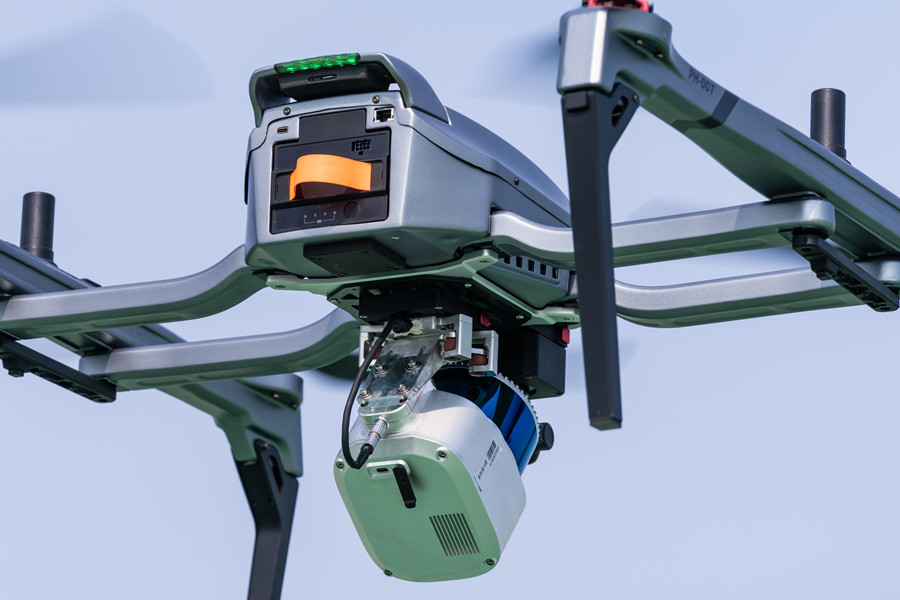
PH-007 equipped with LiDAR sensor

Forestry & Environmental Monitoring

☐ Survey boundaries and coverage confirmed.

☐ Multispectral or camera sensor settings verified for the vegetation index planned.

☐ Terrain, canopy height, and elevation changes reviewed against flight altitude.

☐ Wind conditions checked—canopy turbulence affects more than open-field flight.

☐ Potential landing areas identified in or near the survey zone.

☐ Flight route and data storage confirmed.

☐ Communication coverage verified across the operating area.

For adjacent environmental applications, see drones for environmental protection.

JOUAV CW-15V VTOL drone for forestry monitoring

Infrastructure & Construction

☐ Site access and flight permissions confirmed with site management.

☐ Cranes, buildings, power lines, and other obstacles identified.

☐ Camera resolution and capture settings match inspection requirements.

☐ Inspection route and coverage defined.

☐ GNSS interference risk assessed around structures—steel and reflective surfaces degrade positioning.

☐ Coordination with site personnel completed, including work stoppages if needed.

☐ Safe takeoff and landing areas established clear of active operations.

The core checklist stays the same across all four. What shifts are payload configuration, flight planning, positioning requirements, and site-specific risk assessment—and those shifts are where the mission succeeds or fails.

For inspection workflows across energy and infrastructure, see drone inspection.
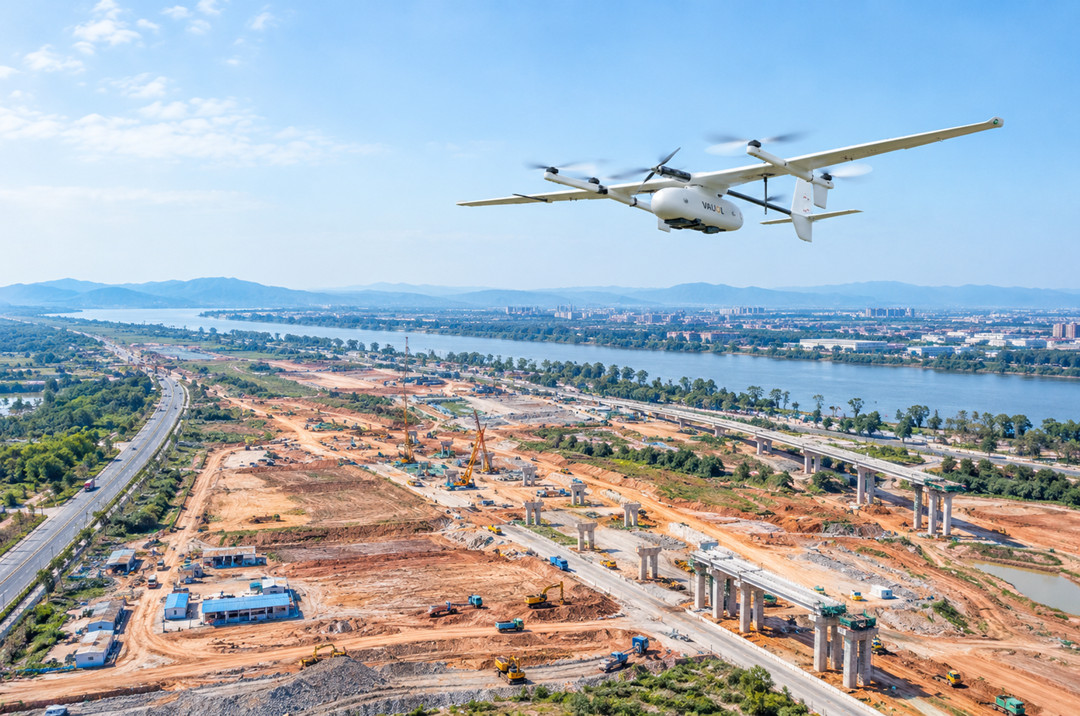
JOUAV CW-15 drone inspecting construction site from the air

Platform-Specific Add-Ons

A checklist written for a multirotor will miss things on a fixed-wing, and a VTOL carries inspection requirements that neither of the other two covers. Add the relevant set to your core list.

Multirotor

☐ Propellers inspected, aligned, and locked.

☐ Motors and motor mounts checked.

☐ Battery installed and secured.

☐ Flight controller and GNSS/compass status verified.

☐ Gimbal and camera operational.

☐ Takeoff and landing area clear.

☐ Hover stability confirmed after launch.
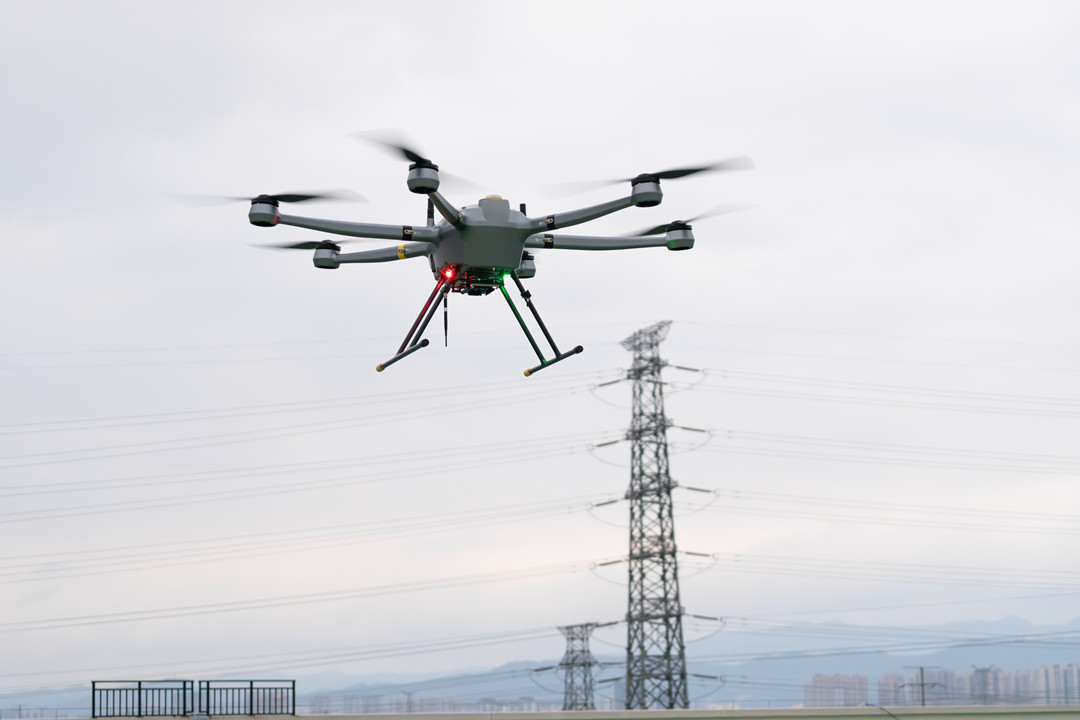
Industrial drone preflight inspection for energy infrastructure

Fixed-Wing

☐ Wings, fuselage, and structural connections inspected.

☐ Control surfaces and linkages checked for play and correct movement.

☐ Propulsion system inspected and operational.

☐ Servos and actuators tested through full range.

☐ Navigation systems verified.

☐ Launch and recovery systems checked.

☐ Flight route and landing area confirmed.

VTOL

☐ Vertical-lift motors and propellers inspected.

☐ Forward-flight propulsion system inspected separately—it's a second power system, not a backup.

☐ Wings, fuselage, and structural connections checked.

☐ Control surfaces and actuators verified.

☐ Transition-related systems and configuration confirmed.

☐ Navigation and positioning verified for both flight phases.

☐ Takeoff and landing settings confirmed for the site.

☐ Transition procedures reviewed and understood by the crew.

☐ Energy reserve confirmed for vertical takeoff, transition, cruise, and landing—not just cruise.

☐ Takeoff and landing area assessed for VTOL-specific requirements, including transition clearance.

The VTOL set is longer for a reason. Two propulsion systems, a transition phase, and an energy budget that spans four flight regimes mean more places for something to be missed—and fewer opportunities to recover if it is. These aren't checks a generic list will remind you to do. They're the checks that separate an operator who flies VTOL from one who happens to own one.
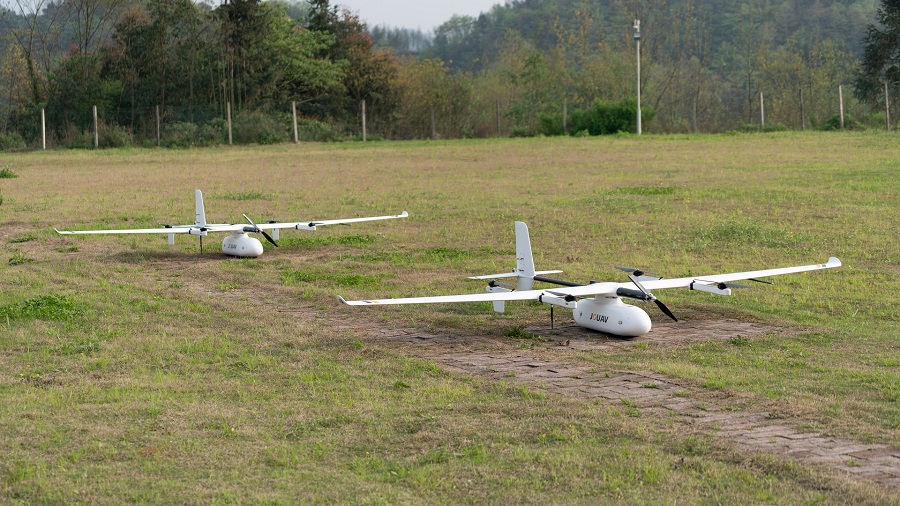
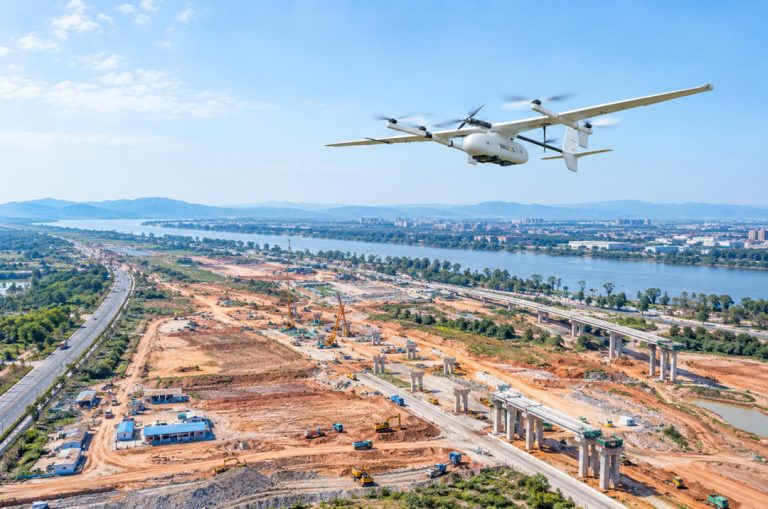
JOUAV VTOL fixed-wing drone preflight checklist on grass field

App vs. Printable: How to Choose and How to Build Your Own

App vs. Printable: How to Choose and How to Build Your Own

Every checklist eventually runs into the same question: paper or screen? The answer depends less on preference than on how many aircraft, pilots, and missions you're managing. But before the format question, there's a more basic one — what a checklist needs to contain to be worth using at all.

Essential Elements of an Effective Checklist

A checklist that can't survive an audit isn't a compliance record — it's a note to self. Whether it lives on paper or in an app, it needs these fields:

  • Aircraft model and serial number — ties the inspection to a specific airframe

  • Pilot or operator information — who performed the inspection and who holds the go/no-go authority

  • Date, time, and flight location — coordinates, not just a site name

  • Inspection items across all domains — airframe, propulsion, power, avionics, navigation, payload, ground station, environment, airspace, mission

  • Battery and power status — charge, condition, and cycle count where available

  • Payload and equipment status — mounted, configured, and recording

  • Weather and airspace assessment — with a timestamp, since both change

  • Mission plan confirmation — route, altitude, boundaries, emergency areas

  • Emergency procedures — briefed and understood

  • Final Go/No-Go decision — explicit, not implied by the absence of a red mark

  • Signature or sign-off — the pilot's name against the decision

The last two are the ones most homemade checklists skip. A list of checkboxes with no recorded decision is a record of activity, not a record of judgment.

Printable Checklist: Strengths and Limits

Paper has one advantage nothing digital has matched: it always works. No battery, no signal, no login, no app update mid-mission. It's easy to carry, easy to customize with a pen, and easy to hand to a client or auditor who wants a signed copy.

Its limits show up at scale. A paper checklist can't archive itself, can't remind you to add a cold-weather section because it's 38°F, and can't tell you that the battery you just installed has 340 cycles on it. For a single pilot flying one aircraft, that's fine. For a team, the paper trail becomes a filing problem within a month.

What to Look for in a Drone Preflight Checklist App

Most “drone checklist apps” are generic form builders with a drone-shaped template dropped in. They'll let you tick boxes and export a PDF, and that's where they stop. If you're evaluating an app for professional operations, four capabilities matter more than any feature list:

1. Conditional triggers. The checklist should add items based on conditions — low temperature, night operations, flight over water or people, a site change requiring compass recalibration. A static list can't do this, and industrial operations need it. A winter morning flight and a summer afternoon flight are not the same inspection, and the app should know that.

2. Aircraft profile binding. Each inspection should attach to a specific airframe — serial number, registration, firmware version. This is what turns a checklist into a maintenance history. Without it, you have a pile of completed forms that can't be matched to the aircraft they describe.

3. Offline-first operation. Field sites rarely have reliable signal. An app that requires connectivity to load or submit a checklist is an app that will fail you at the worst possible moment. Everything should work offline and sync later.

4. Timestamped PDF reports, including skipped items and reasons. The report is the compliance artifact. It needs to show when each item was checked, what was marked N/A and why, and who signed off. A blank checkbox is indistinguishable from a skipped one — the app should make “not applicable” a deliberate choice with a note attached.

A word of caution: general-purpose form tools — the kind built for workplace inspections or safety audits — usually fail on the first two criteria. They can hold a template, but they can't trigger items by condition or bind an inspection to an airframe. For occasional recreational use that's acceptable. For commercial operations, it's a gap you'll discover during an audit, not before one.

How to Customize Your Checklist (and What to Avoid)

Building a checklist that works for your operation takes about seven steps:

  1. Start with the manufacturer's operating manual. It defines the aircraft-specific inspection points; everything else is layered on top.

  2. Add the applicable regulatory requirements. For US operations, that's the 107.49 assessment items. For other jurisdictions, substitute the local equivalent — don't assume FAA rules travel.

  3. Add model-specific items. VTOL transition checks, fixed-wing control surface checks, gimbal clamp removal — whatever your airframe requires.

  4. Add mission-specific payload and sensor checks. A LiDAR mission and a mapping mission need different preflight attention.

  5. Add site-specific operational risks. Power lines, GNSS interference, restricted airspace, public access — these belong on the checklist, not in someone's memory.

  6. Test it during real operations. A checklist that looks thorough on paper often reveals redundant or missing items after two or three flights.

  7. Update after maintenance, incidents, or operational changes. A checklist that hasn't changed in a year probably isn't tracking what actually goes wrong.

The mistakes are consistent across operators:

  • Rushing through it. A checklist completed in 90 seconds is a ritual, not an inspection.

  • Using one checklist for every configuration. Different payloads, different missions, different checks.

  • Ignoring battery health and maintenance records. Charge level is not health status.

  • Checking airspace too early and not re-verifying on site. Conditions change between the office and the launch point.

  • Forgetting payload connections and sensor settings. The aircraft flies fine; the data doesn't.

  • Skipping the crew briefing. The checklist covers the aircraft, but the operation involves people.

Fleet-Level Considerations

Once you're managing multiple aircraft, pilots, and recurring missions, the checklist stops being a per-flight document and becomes a data source. Battery cycle records, maintenance work orders, and pilot currency dates all feed into the same preflight decision — and a checklist that can't connect to those records will eventually be maintained alongside them in a spreadsheet. That's a problem worth solving before the fleet grows, not after.

Printable vs. App: A Quick Comparison

FeaturePrintable checklistDigital checklist app
Offline useAlways worksDepends on offline-first design
Completion trackingManualUsually automatic
Record retentionPaper filingDigital archive, searchable
Team managementLimitedBuilt for multi-user operations
CustomizationEasy, pen-and-paperDepends on app flexibility
Updates and distributionManual reprintPushed to all users

For a solo pilot flying one aircraft, a well-designed printable checklist is enough. For commercial teams managing multiple airframes and recurring missions, the app's advantages in record-keeping and conditional logic outweigh the simplicity of paper. Most professional operations end up using both — the app for the record, a printed backup for the day the tablet dies.

Free Download the Checklist
Everything in this guide is available as a single printable checklist—the ten core categories, the power-on verification, and the commercial and VTOL add-on pages. It's free, printable, and editable—print it, adjust it to your aircraft, and keep it in the case.


    By submitting this form, you accept the Privacy Policy and Terms & Conditions. You can unsubscribe at any time.
    FAQ

    FAQ

    Is a drone preflight checklist legally required?

    The checklist itself is not. The inspection is. FAA 14 CFR 107.49 requires the remote pilot in command to assess the operating environment and confirm the aircraft is in a condition for safe flight before every operation. The FAA does not prescribe a format, which means the legal obligation falls on the pilot to build a process rigorous enough to cover the risks. A completed, dated checklist is the simplest way to demonstrate that obligation was met — which is why most commercial operators use one even though no specific form is mandated.

    Does the FAA provide an official drone preflight checklist?

    No official, mandatory checklist exists. FAA Advisory Circular 107-2A, Appendix E contains a Sample Preflight Assessment and Inspection Checklist, and the AC states that remote pilots may use it or develop their own for their specific aircraft and operation. The AC also references 23 items that should be included in a preflight inspection. These are the closest thing to an official reference — useful as a starting point, not a compliance form.

    What should a commercial drone preflight checklist include?

    Beyond the ten core inspection categories, commercial operations should add: mission and client requirements (scope, deliverables, accuracy targets), aircraft and payload configuration for the specific mission, crew readiness and briefing, site safety and risk management, and data collection readiness. For mission-specific work — surveying, LiDAR, forestry, infrastructure inspection — the payload, positioning, and flight-planning checks differ enough that a generic list won't cover them.

    How long should a preflight inspection take?

    There's no universal number, and any guide that gives one is guessing. Duration depends on the aircraft (a multirotor vs. a VTOL with two propulsion systems), the mission complexity, whether the site is new, and the pilot's familiarity with the checklist. A first flight at a new site with a complex payload takes considerably longer than a repeat flight from a known location. What matters is that every domain is covered and nothing is skipped under time pressure — a rushed checklist takes less time and catches less.

    Can I use the same checklist for multirotor, fixed-wing, and VTOL drones?

    The core categories apply to all three, but the platform-specific checks do not transfer. Multirotors need propeller, motor, and hover-stability checks. Fixed-wing aircraft add wing and fuselage inspection, control surfaces and linkages, launch and recovery systems. VTOL platforms carry two propulsion systems, transition mechanisms, and an energy budget spanning vertical takeoff, transition, cruise, and landing — none of which a multirotor checklist will remind you to check. Use a shared core list plus a platform-specific add-on.

    What happens if I skip the preflight checklist?

    Two kinds of risk, and both are real. The operational risk: a missed defect, weak battery, or unsecured payload that fails in flight — when the cost of diagnosis is no longer measured in minutes. The regulatory risk: 107.49 is a legal obligation, and skipping it exposes the operator to certificate action, civil penalties, and insurance disputes. For public safety and evidence-capture work, there's a third cost — a missed setting can invalidate data from a scene that can't be revisited.

    Should I log my preflight inspections?

    Yes, and the log should capture more than a checkmark. Record the date, time, location, aircraft serial number, battery serial numbers and cycle counts, the pilot's name, the airspace authorization reference, any items marked not-applicable with the reason, and the final go/no-go decision. This log is your compliance record for an FAA audit and your evidence of due diligence for an insurance claim. “We did the inspection but didn't record it” is, for practical purposes, the same as not doing it.

    Do I need extra preflight checks for night operations?

    Yes. Under 14 CFR 107.29, night operations require anti-collision lighting visible for at least 3 statute miles, and the remote pilot must have completed the night operations training or hold a current Part 107 certificate with the night knowledge areas.

    Add these preflight items: verify the anti-collision light is functioning before launch (not just installed), brief visual observers on reduced-depth-perception risks and adjusted scanning techniques, and confirm the home point and emergency landing areas are identifiable in the dark. Ordinary navigation lights alone do not satisfy 107.29 — the lighting must meet the anti-collision standard.

    How should I store drone batteries between flights?

    Lithium-polymer batteries should be stored at a partial charge—roughly 40–60%—rather than fully charged or fully depleted. Full-charge storage accelerates chemical degradation and increases swelling risk; deep discharge can push cells below a recoverable voltage.

    Store packs in a fire-safe container at room temperature, away from direct sunlight, and check each battery for swelling and resting voltage at the next preflight. A battery that has been stored for months may show a healthy charge percentage but degraded internal resistance—cycle count and a load test tell you more than the percentage does.

    Is there a free downloadable drone preflight checklist template?

    Yes — the template accompanying this guide includes a printable PDF, an editable version, and a completed example from a survey mission. It covers all ten inspection categories plus the commercial and platform-specific add-ons. Download it, customize it for your aircraft and mission, and use it as the starting point for your own procedure rather than a finished document.

    Share :
    Read More
    thumbnail
    Your drone promises up to 46 minutes of flight time, but you’re back on the ground much sooner than expected. What happened? In practice, advertised flight times are maximum figures measured under spe
    thumbnail
    Drone mapping services can produce far more than aerial photos—orthomosaics, 3D models, point clouds, and elevation data that feed directly into GIS, CAD, and BIM workflows. But ask three providers to
    thumbnail
    Picking drone mapping software feels harder than it should be. Open any review site, and you will see the same ten names repeated: Pix4D, DroneDeploy, DJI Terra, Agisoft Metashape, UgCS. But the recom